Muzi is a user interface that I built to play my music from my terminal. It looks like this:
My goal was to make a slick, snappy user interface with which I could fuzzy-find through my library and manipulate the queue quickly. I tried to keep features accessible by as little input as possible. I wanted it to feel like vim, because in my eyes, vim is perfect software. My primary source of visual inspiration was btop. I didn't want to use modals or hidden panels because I feel that it is quicker for new users to grasp if all the components were present on the screen simultaneously.
Playback and library management is handled entirely by the open-source application Music Player Daemon (MPD) with which muzi communicates via TCP. I didn't like the searching on existing Terminal User Interface (TUI) MPD clients so I created a shell script piping fzf output into mpc but eventually I decided to try and write my own TUI. Muzi is in entirely written in Zig.
Post sections:
Tech Stack
Muzi was my first project with Zig and also my first project lower level in software abstraction than a NodeJs web server. Prior to muzi I had only written a "hello world" in C and done a few ziglings. I wanted to learn as much as I could with this project so the code is written mostly from scratch with it only depending on zg and the zig standard library.
A massive help early on was a blog post by Leon Plickat titled: Uncooked Terminal IO. It is effectively an extremely well-detailed, well-written tutorial on creating a TUI without a library, in Zig, for POSIX-compliant systems. I am immensely grateful to Plickat for his blog post since I referred to it probably a dozen times during the development of muzi. I would recommend anyone interested in programming a TUI to read through Plickat's post in full. side note: despite being shown how, I still haven't implemented Kitty Input Protocol or runtime terminal window resize handling in muzi.
Notable Solutions
Logging
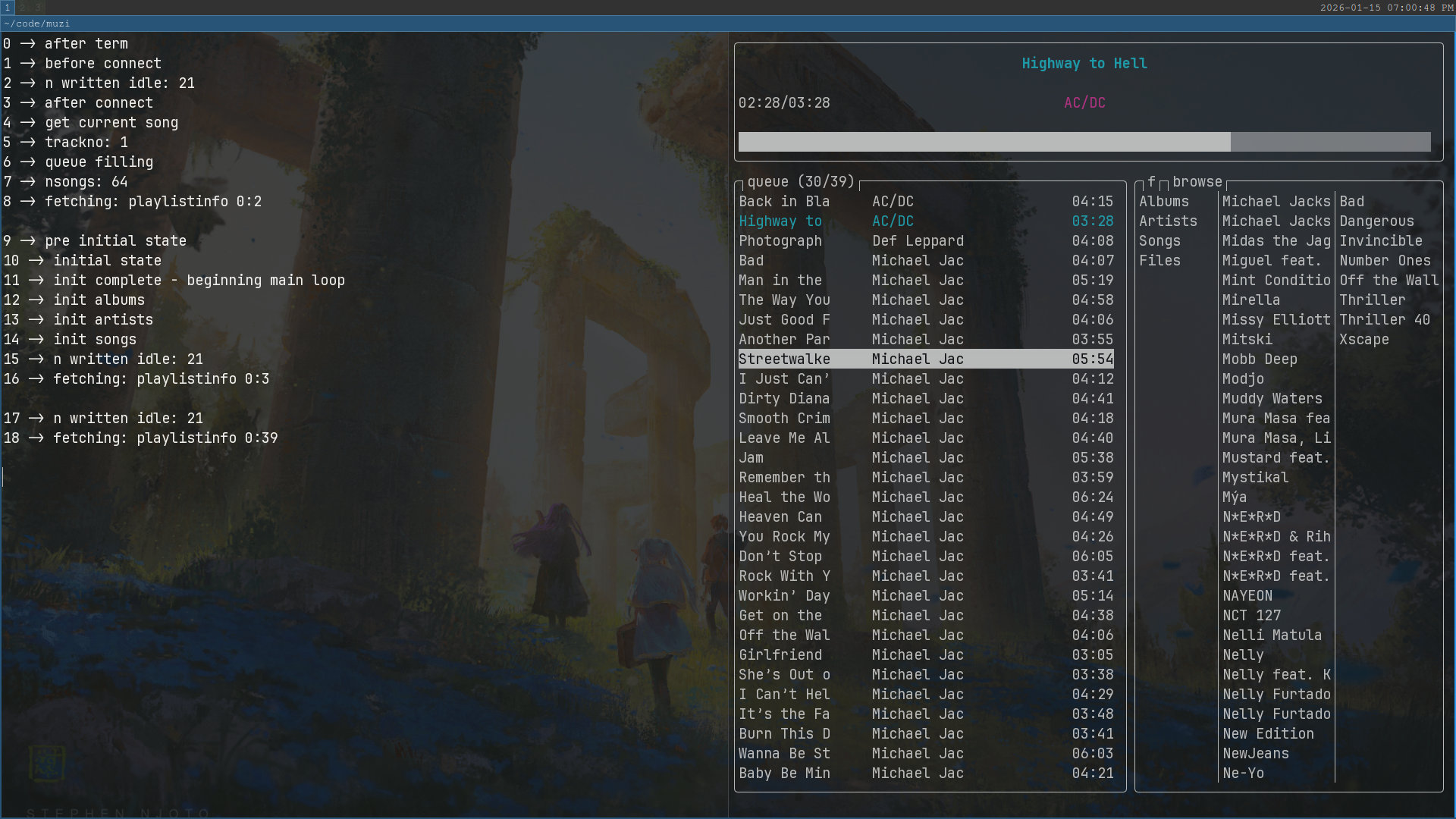
Because the TUI fills the entire terminal screen, I needed to log to another terminal. Zig's comptime features came in clutch here.
At compile time, zig statically evaluates branches on comptime-known variables. This means I can spam log() all over the codebase and it will have zero performance cost on .ReleaseFast builds!
pub fn log(comptime format: []const u8, args: anytype) void {
    if (builtin.mode == .Debug) {
        //write message to other terminal
    }
}
Rendering components
In a terminal the cursor is always present, even if hidden. This means drawing a TUI is done by moving the cursor to the correct spot and then printing characters. There are special characters that perform different functions like moving the cursor and triggering different effects.
I divide the screen into "panels", subsections of the screen which are rendered separately, and then define an area for each panel using either fractional or absolute units.
For example, with the queue (the panel on the bottom left) the width is divided so it will expand and shrink depending on the window size, it will always occupy 6/11 of the total width, the browser will always occupy the rest. The height is absolute and will always start from the 7th row from the top. Muzi only has 6 panels, so they are all hardcoded.
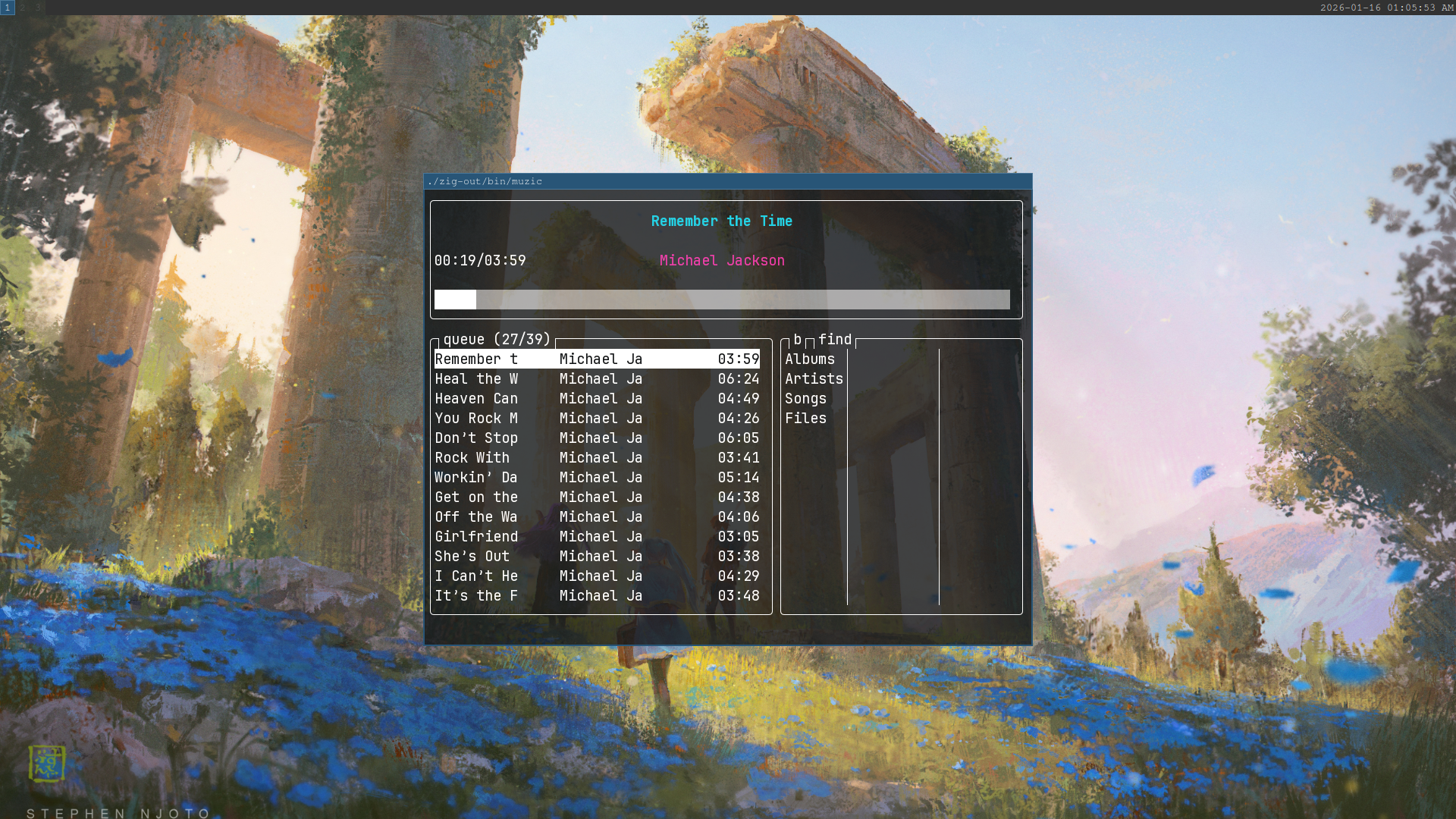
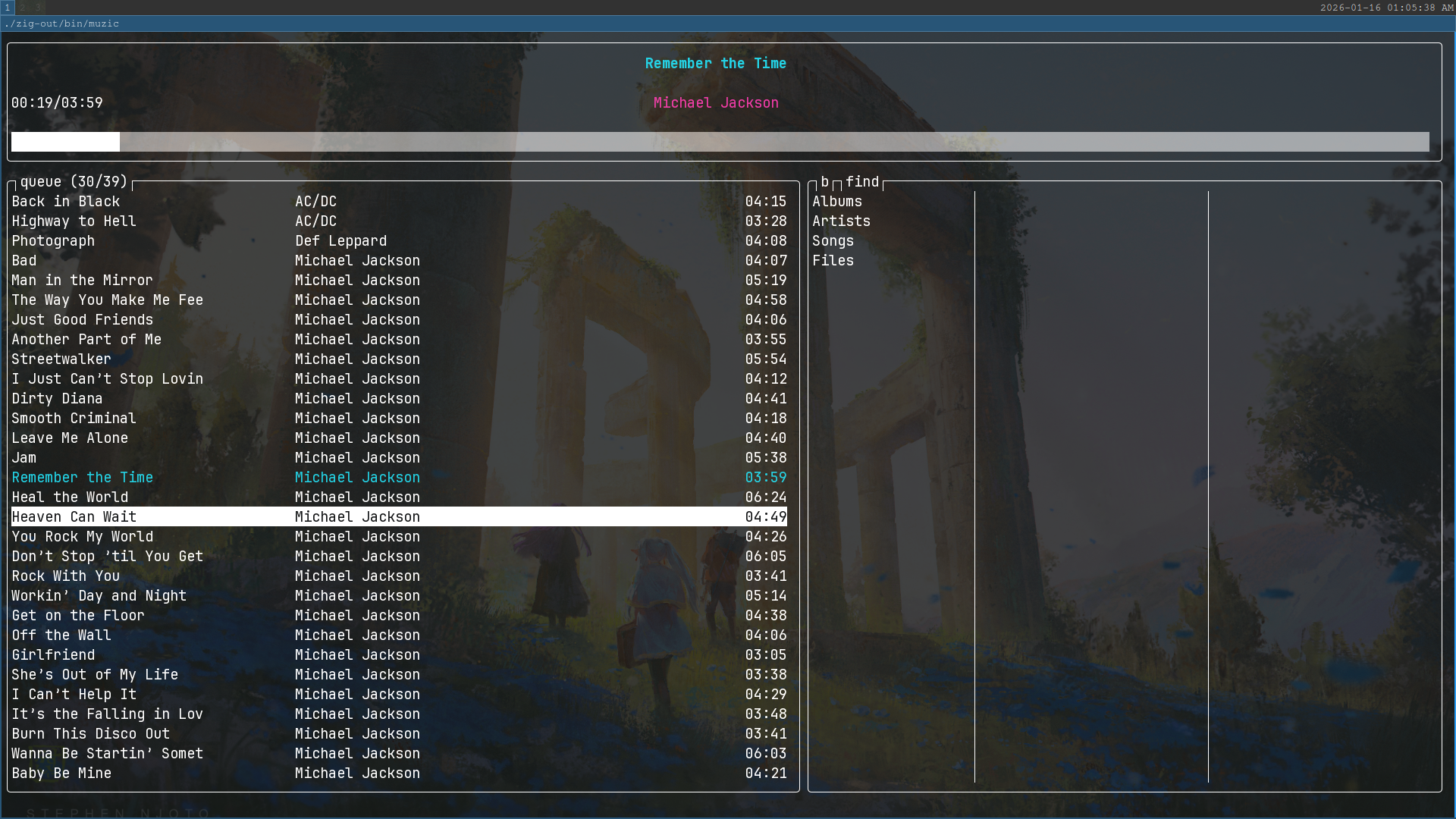
Panels are kinda like React Components, so I render them separately if the data has changed. No fancy framework; I am just passing around a struct of booleans.
Search Algorithm
To make the fuzzy-searching algorithm, I did some poking around in the fzf source code. The main algorithm file is extremely well commented/documented which pointed me towards the Smith-Waterman algorithm. After reading the Wikipedia page and watching a few youtube videos I successfully implemented it in Python, which I used as a blueprint for the Zig implementation. The algorithm is tweaked to give bonus score to exact word matches. The algorithm isn't perfect but it gets the job done. I had a lot of fun reading about it and implementing it.
The Browser
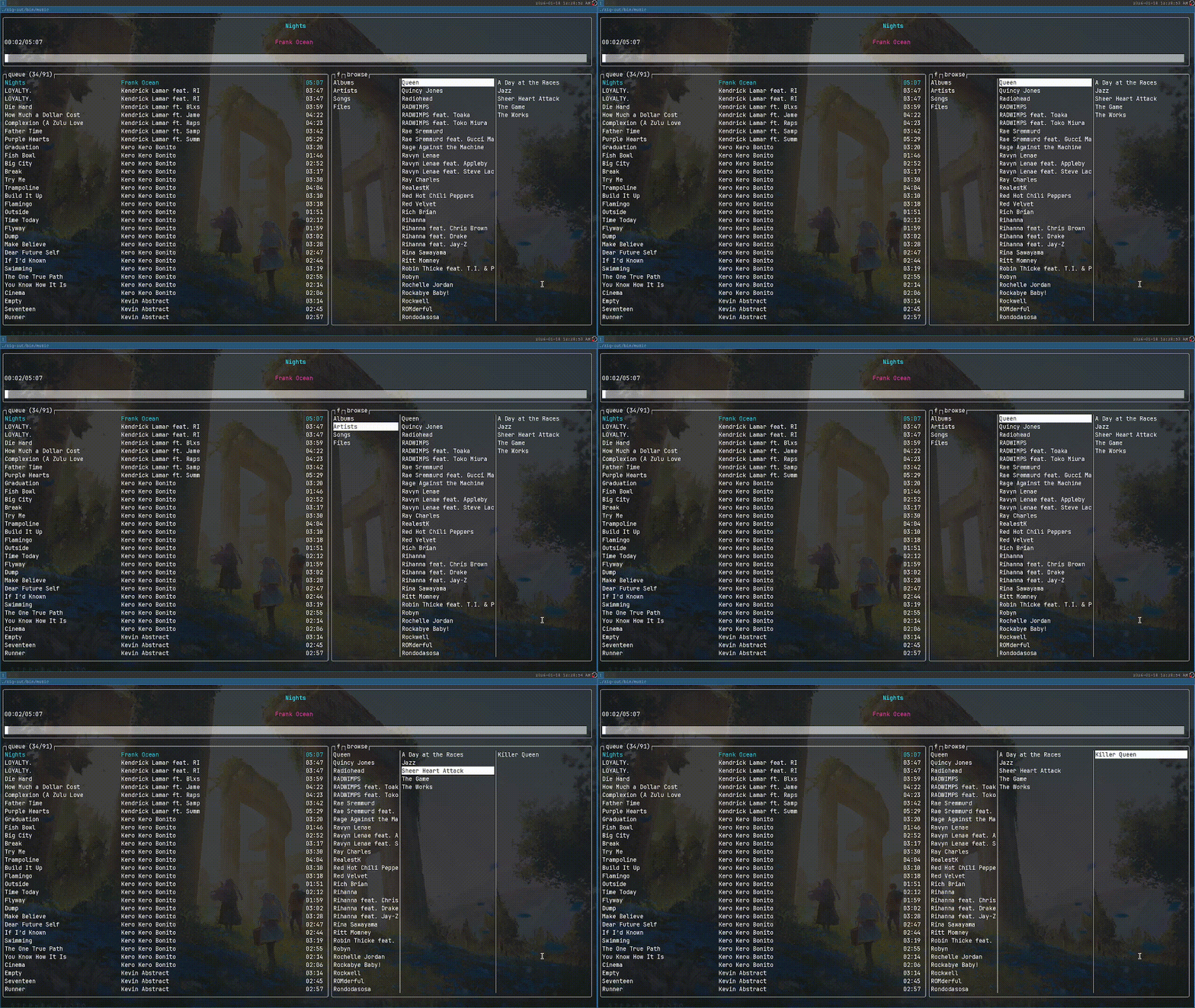
The browser is by far the messiest part of my codebase, I'm actually ashamed of it. The idea is that the user browser through their music library in the linear hierarchy of Artist -> Album -> Song. Right now there are 3 hardcoded columns because on my screen only 3 can fit data neatly. But including the initial column, in the case of the user selecting Artist, there will be 4 nodes in total. This means that on the final column switch every column must switch it's displaying data, while retaining the state of the cursor. This was not anticipated beforehand and led to a lot of headaches and messy code. Additionally, a better solution would be for a fourth column to fit on really big screens and the number of columns should decrease if the user opens muzi in a small window... but thats a problem for another day... probably never.
Lazy loading
I load every song, album and artist into memory from MPD. This is so that every song can be searched for. This isn't recommended by MPD, but I know what I'm doing. This makes muzi stateful and if the library is updated while muzi is running, it will have to be restarted in order to be resynced. This isn't explicit through app usage but it is in the README.
Nonetheless, loading every single song from MPD is a large IO task. I initially did this all on start, which slowed initial start times to ~120ms. This was noticeable and unnacceptable. The data is now only loaded on search or on browse, so startup time is basically instant. The bottleneck is moved and is also now divided in 3, initial search takes ~40ms and selecting either the Artist, Album or Tracks row in the browser takes ~40ms each. I found that the 40ms initial browse is not nearly as noticeable as the 120ms program start. Lazy loading also means that the user can start muzi just to manipulate the queue and control playback and no unnecessary memory will be used.
Lesson learned: For U.I. - divide bottlenecks to make them more tolerable.
Queue Ring Buffer
To cap the memory usage of the queue I implemented it as a ring buffer. The size of the ring buffer will be at least 2 times the viewport of the queue, for me it's usually 64 songs. As the user scrolls, if the user scrolls to the end of the buffer, half of the buffer will be refilled meaning the user can scroll both forward and back one full viewport.
The user also has access to g, and G keys to instantly move to the top and bottom of the queue. For that case, edge buffers are kept to always store the songs of a full viewport at the top and bottom. If after scrolling the buffer is out of sync, the buffer is resynced.
Does this sound overengineered? You'd be correct, it is. It introduced a plethora of unanticipated problems and many changes had to be made to other sections of the code base. How often are queues longer than (4 * viewport) songs? Rarely, so rarely does this save any resources. Textbook premature optimization. It does cap the memory usage to an upper bound however and I learned about ring buffers at least.
Lesson learned: Keep it simple, stupid.
Lessons learned
Understand the bottom level APIs you have access to! Nearing the end of muzi's development, I watched the talk Making Systems Programming Accessible by Andrew Kelley (Zig creator). If only I had watched it sooner! Andrew's answer to the question: "what is systems programming?", is that it's a way of modelling problems. I'm rewording it a little but here is the point:
Model the software as a transformation of the bottom-level APIs you have access to.
Fuck. It's super simple and even "obvious", but it's something I routinely disobeyed.
The cleanest and most-maintainable code in my codebase was effectively me already doing this but accidentally.
For example, the main loop of muzi look's something like this:
while (!app.state.quit) {
    const loop_start_time = time.milliTimestamp();

    const input_event: ?Event = try input.checkInputEvent();
    const released_event: ?Event = try input.checkReleaseEvent(input_event);
    const idle_event: [2]?Event = try mpd.checkIdle();
    const time_event: Event = Event{ .time = loop_start_time };

    //"append events"

    //handle events

    app.updateState(&render_state, &mpd_data);

    //render and reset ...
}
Most functionality is driven by two events: terminal input, and idle response from MPD. The release event depends on the input event and the time bar on the currently playing song moves regardless, that's it, everything else is driven by input, and MPD. The bottom-level APIs are 2 non-blocking file descriptors.
Nevertheless, I am happy to have understood this idea sooner rather than later and I am even further convinced that Zig's creator knows exactly what he is doing.
Dependencies can be liabilities, but importing a good solution is better than implementing a bad solution from scratch. I was surprised to find that asian characters can be rendered having different widths in monospaced fonts. I thought this problem would have a trivial solution but I soon found out that it did not.
The unicode spec for character widths is in the form of one long text file. zg parses this text file and creates a hashmap of the codepoint and it's width and then embeds it into a compressed file which can be embedded into zig programs as a 2d array...I think. zg is a perfect dependency since it contains much more functionality but can be modularly compiled and imported. I concluded it would be better to use their great solution than make a bad one myself. Thus, my zero-dependency philosophy was broken.
Memory isn't really worth optimizing for. Seeking to avoid dynamic heap allocation, I acted with a case of severe premature optimization specifically with the queue buffer. Memory isn't worth sacrificing simplicity for, for user facing apps.
Fin
I had a lot of fun working on this project and learned a lot. If I didn't succeed in making the best mpd client, I definitely succeeded in making my favourite.